Payments & Subscriptions

Payments & Subscriptions
Overview
In this guide we'll learn about the payment options Bloom offers.
Subscriptions
Bloom only offers PayPal and Stripe subscriptions as payment methods. To ensure you don't get billed automatically and your service is cancelled at the end of the cycle, you can request an "End of Billing Period" cancellation by following our Cancellation Guide.
At this time there is no way to pay for our services without a valid International Credit or Debit Card backed by Visa, MasterCard, American Express, etc. Even if your Card is backed by one of the card networks we mentioned, you might still find your card got declined if it's not backed by a bank or if it's prepaid. Unfortunately, as a company we can't help with the specific guidelines PayPal or Stripe might have for your country.
Payment Issues
If you encounter a payment issue, such as a card being declined unexpectedly, please open a billing ticket.
Changing Your Payment Method
You can change your preferred payment method at any point before your due date (at which point our system will attempt to charge the existing method). To do so you need to access your most recent invoice in the "Invoices" tab.
There you'll find the option to select between "PayPal Subscription" and "Credit/Debit Card Subscription" (Stripe). You can change between methods as desired. If you wish to change the associated PayPal account or your Credit/Debit card, you can safely press "Pay Now" which will take you to the next screen where you'll be able to either add or change between accounts/cards.
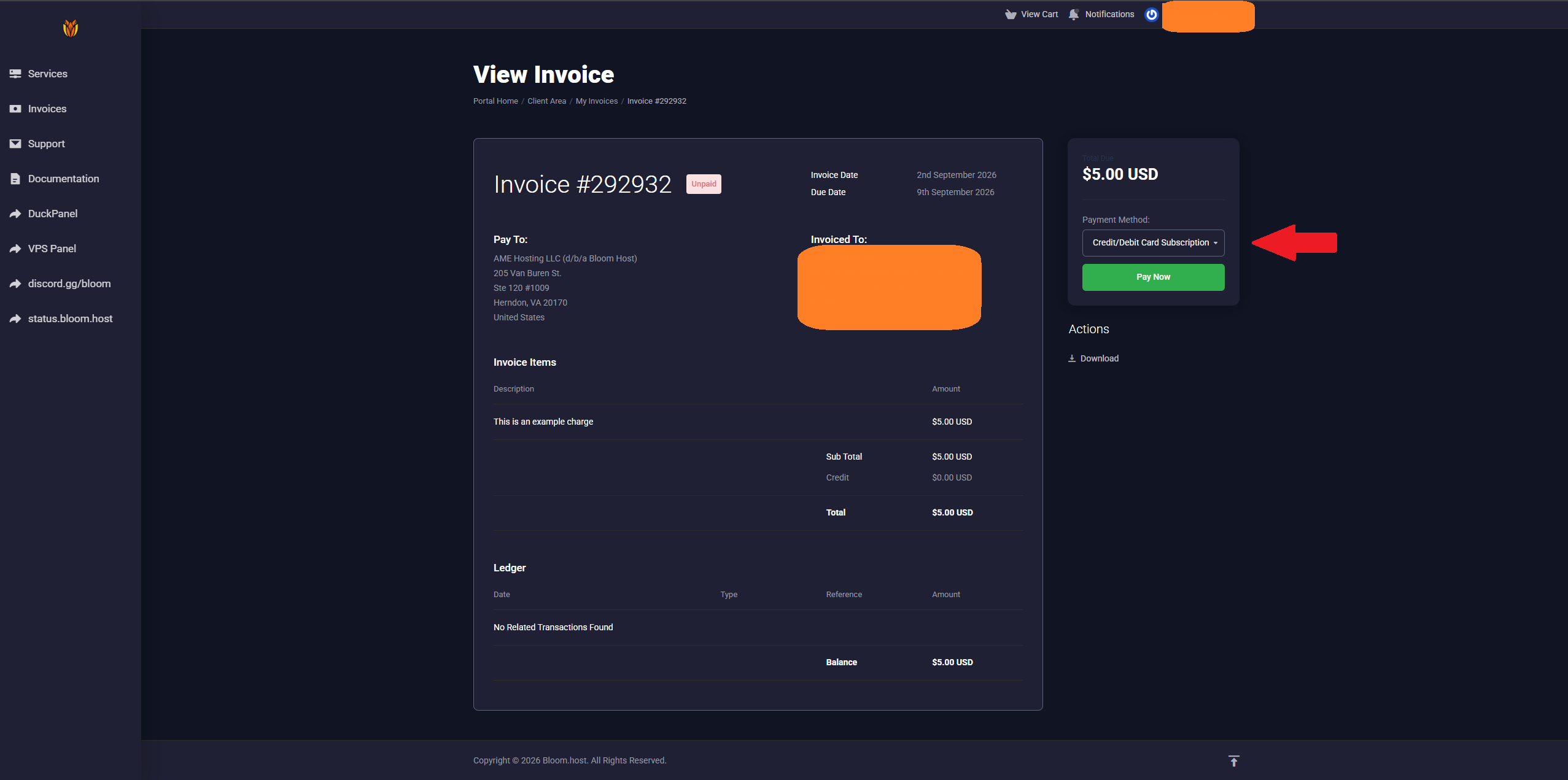
You'll need to complete the payment manually with your new preferred method. Once that's done, your preference will be saved for future invoices. Your previous method will remain stored, but it will not be used for future attempts.